Rich query editor
CodeMirror 6 with syntax highlighting, bracket matching, folding, and schema-backed autocomplete.
VS Code extension
.graphql files based on your schema.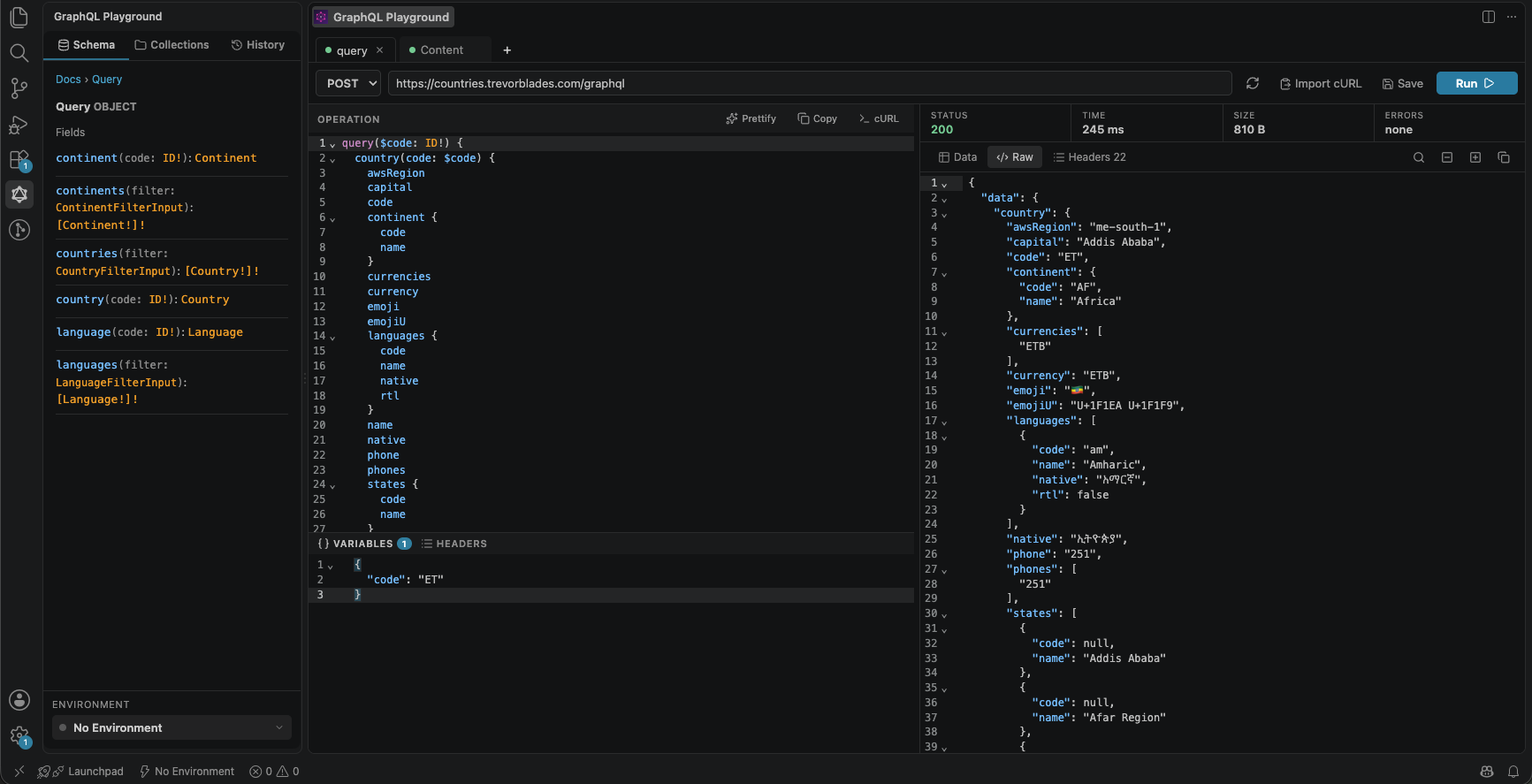
In the playground
The playground itself is a complete GraphQL client, point it at an endpoint and go.
CodeMirror 6 with syntax highlighting, bracket matching, folding, and schema-backed autocomplete.
Point at any endpoint and the extension pulls the schema for autocomplete and the docs explorer.
Browse root types, drill into fields, arguments, and enums, and search the type map, GraphiQL-style.
A JSON variables editor and a toggleable key/value headers table for auth tokens and tracing headers.
Named environments each with its own URL and headers, switchable from the toolbar, per-user or per-project.
Requests go through the extension host, so responses aren't blocked by the browser's CORS policy.
In-editor autocomplete
.graphql / .gql files get the same completions as the playground's query editor: fields, types, arguments, and enum values driven by whichever schema is currently loaded.
country.graphql
query Country {
  country(code: "BR") {
    name
  }
}
repos.graphql
query Repos {
  viewer {
    login
    favouriteColor       # not on Viewer
    repositories(first: 10) {
      ...RepoList
    }
  }
}
Inline diagnostics
.graphql / .gql files are validated against whichever schema is currently loaded in the playground. Unknown fields, types, and other schema errors are underlined the moment you write them.
Run from the source
A Run CodeLens appears above every operation in .graphql / .gql files and in gql`` tagged templates inside your .ts, .tsx, .js, and .jsx. Click it and the operation is sent to the playground and executed immediately.
user-profile.graphqlRun in Playground
query profile($id: ID!) {
  user(id: $id) {
    name
    avatarUrl
    ...RepoList   // defined in another file
  }
}